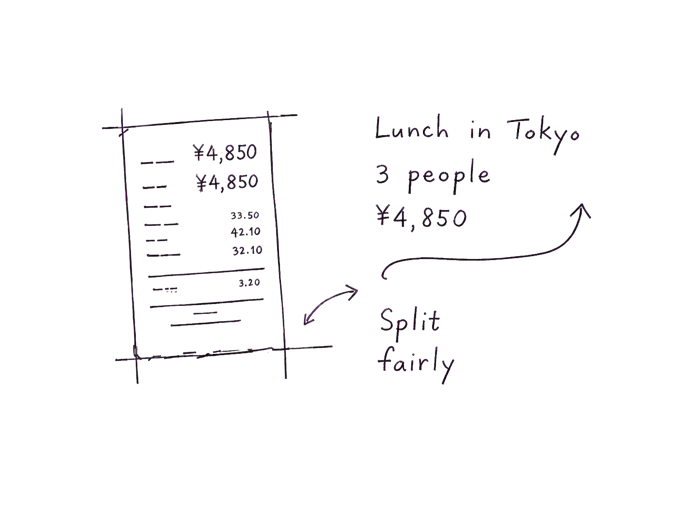
Add the receipt total. Selected people split it equally; rounding remainders follow the people list.
4Result
Settled in USD
Alice
+ USD 0.00
0.00
Bob
+ USD 0.00
0.00
Charlie
+ USD 0.00
0.00
Add a payment to see results.
01 / Process
How BillSmart Works
Three steps, and only the first one needs a decision. Everything after it is entering what already happened.
1. Set Base Currency
Pick the currency the group will actually transfer money in, not the one you are spending in. Four friends from Taipei settling a trip to Japan should choose TWD, because that is what moves between their bank accounts afterwards. Everything else converts into it.
2. Log the Expenses
Each payment needs three things: who paid, how much and in which currency, and who it was actually for. That last one is a multi-select, because a payment rarely covers the whole group. The hotel covers everyone, the round at the bar covers three people.
3. Get the Split
The settlement updates as you type. Each person's net balance is what they paid minus what they owe, and the transfer list turns those balances into a short set of payments. A week of tangled spending usually collapses into two or three transfers.
02 / Advantages
Why Choose BillSmart
The arithmetic is the easy part. What groups actually get wrong is who a payment was for, and which exchange rate everybody agreed to use.
No More Math
Enter who paid and who each payment was for. Balances and transfers follow automatically, including the cases people get wrong by hand: somebody who paid for a group they were not part of, or two people who both fronted money on the same day.
Fair Splitting
Thirteen currencies, each payment entered in the one it was actually paid in. Conversion happens once, using a published reference rate, into the currency you chose to settle in. Nobody argues from a half-remembered number, and anybody can check the rate themselves.
Data Control
No account or installation. Enter payments, check the settlement, then download a PDF with the amounts, payers and final transfers. The calculator does not save your entries after a refresh. Exchange-rate requests contain currency pairs, not names or amounts.
03 / Guides
Perfect for Every Situation
Eleven guides on the parts a calculator cannot settle for you: what counts as shared, who fronts the big bookings, and how to raise any of it without souring the evening.
Yes. Use the ‘Pay for’ multi-select dropdown and choose exactly who was involved in the expense. You can select one, many, or all.
Do I need to use the same currency for every expense?
No. Each payment can use a different currency and is converted to the base currency automatically using reference rates.
How does the split algorithm work?
Each person's net balance is paid minus owed. BillSmart then pairs debtors with creditors, which keeps the transfer count low: at most one fewer transfer than there are people.
What happens if exchange rates are temporarily unavailable?
BillSmart tries a second rate provider. If neither can supply a rate, it keeps your existing payments unchanged and asks you to retry. It never substitutes a fixed estimate for a new payment.
More detail on rounding, exchange rates and saving a trip is in the full FAQ, and the calculation itself is explained step by step in how it works.